LumaCite Citation Generator
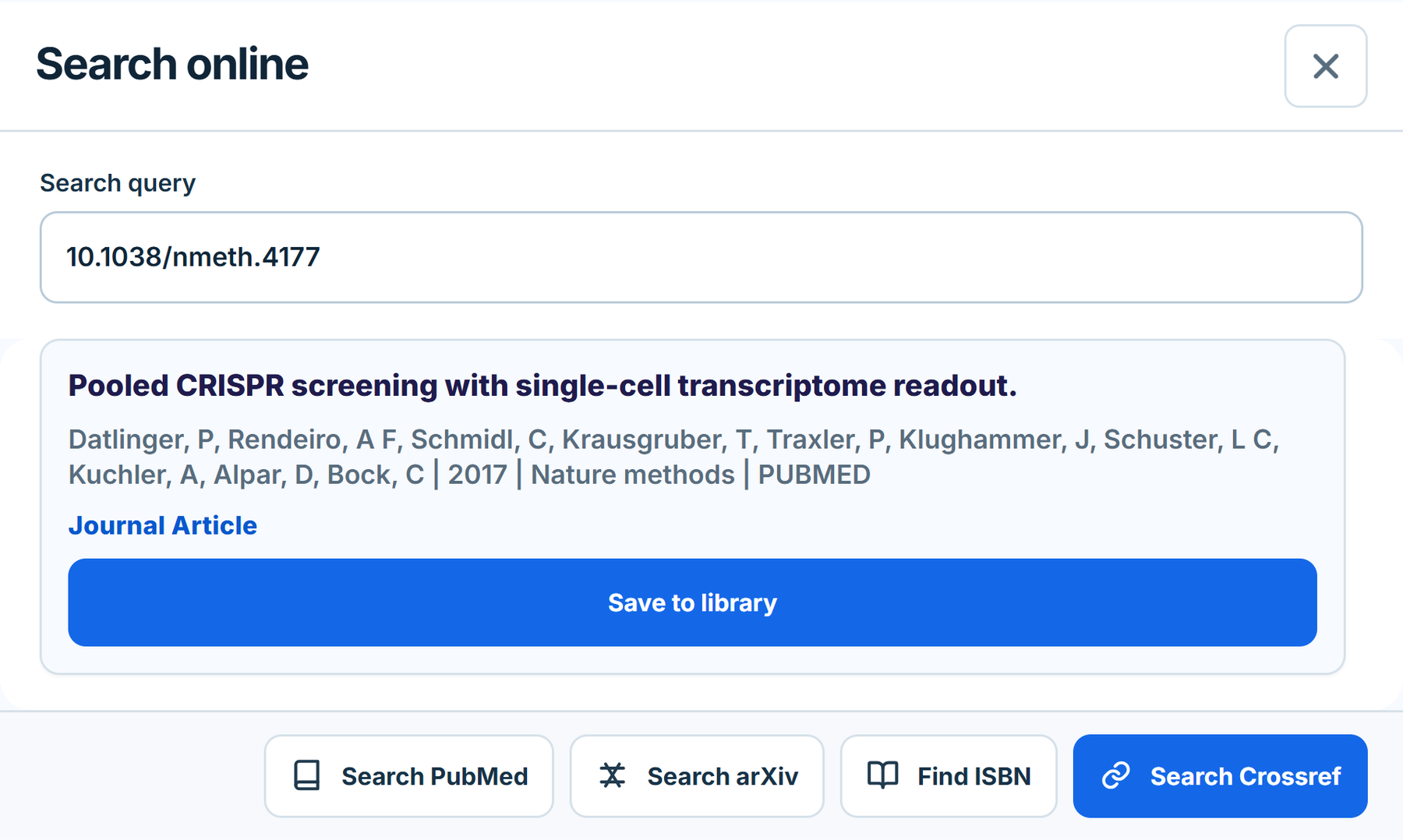
Generate a citation from the page being viewed or an entered identifier, title, or URL. Review the details, choose a style, then copy or export the result.
No login required.
LumaCite features
Citation tools, a cloud research library, and a connected writing workflow. Find the right product and the access it needs.
Public citation tools · Cloud library beta · Google Docs
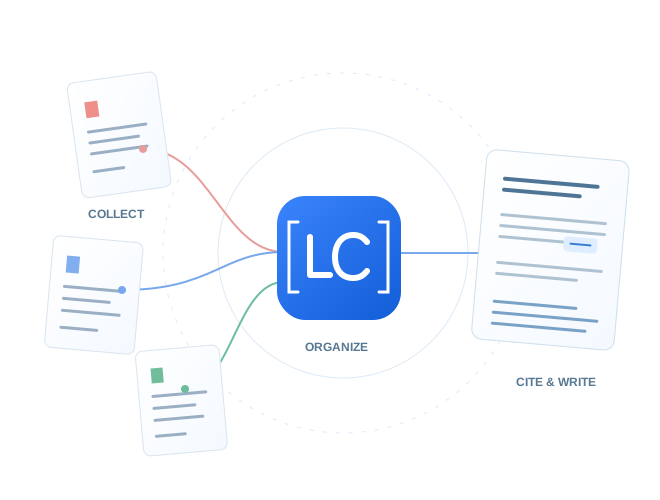
01A connected research workflow
LumaCite is a browser-based reference manager and a set of citation tools for collecting, organizing, checking, formatting, and exporting research references. Its public citation tools can be used without a library account. The cloud library and Capture & Cite Chrome extension are offered through an approval-based beta, including a Google Docs citation workflow.
Researchers, students, academic writers, and people reviewing or transferring bibliographies.
Choose a public tool for a citation or bibliography task. Choose the cloud library when you want to keep, organize, and use a collection of sources across your research.
02Manage & organize
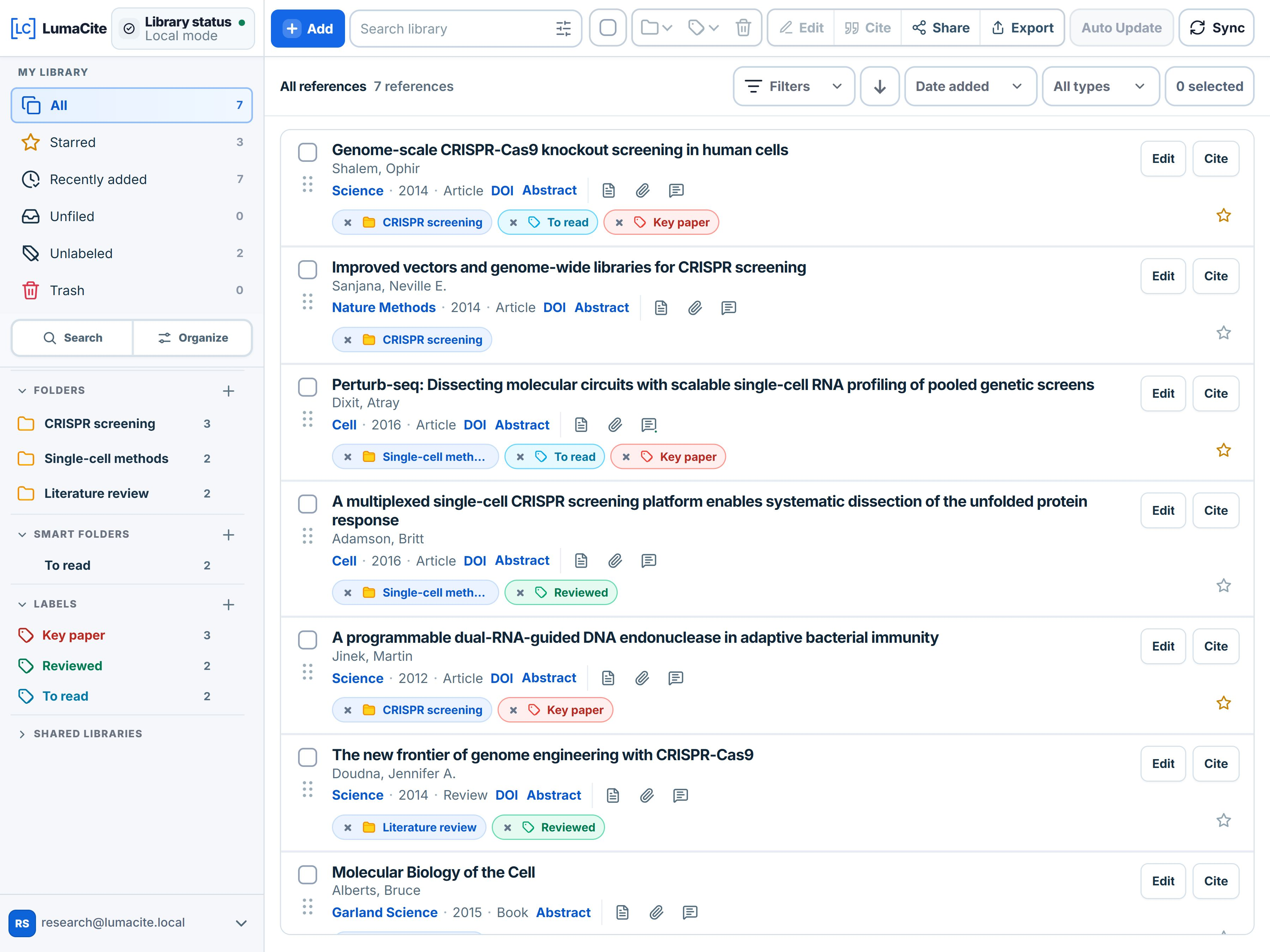
A browser-based library for keeping research references, source metadata, and PDFs together across devices.
Approved beta access is required. Installing an extension does not create or approve a library account.
Explore the reference manager · Request beta access · Sign in to an approved account
Explore the PDF reader and annotation workspace for highlights, notes, reading themes, and annotation exports.
04Research in your browser
The extensions serve different workflows. Their official Store listings contain the current installable version and permission details.
Generate a citation from the page being viewed or an entered identifier, title, or URL. Review the details, choose a style, then copy or export the result.
No login required.
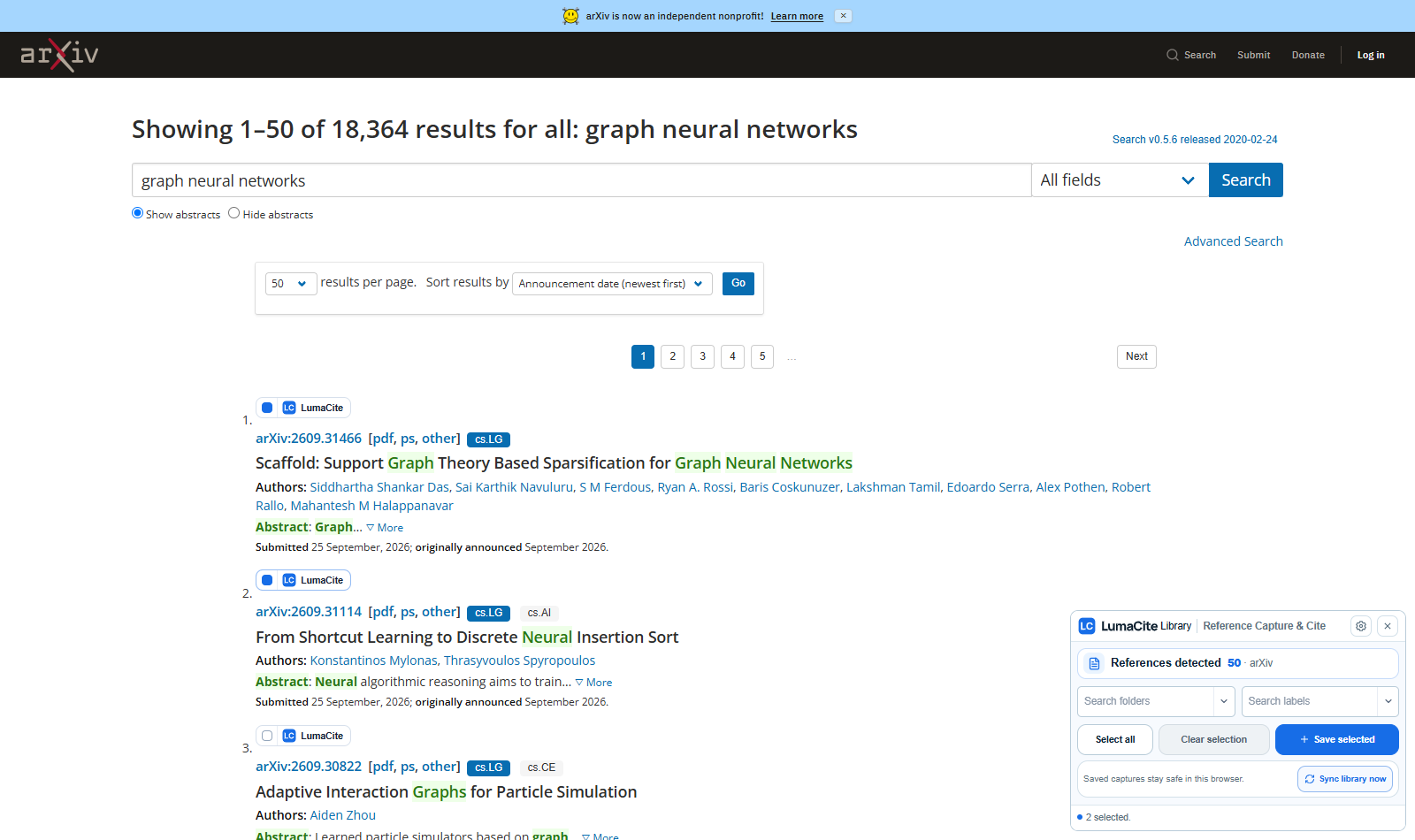
Capture research references from supported websites, connect them to the LumaCite cloud library, and work with library citations in Google Docs.
Approved beta access is required for the connected library workflow. Google Docs features require the user's Google authorization.
05Cite & write
With Capture & Cite and an approved LumaCite account, writers can search their library while working in Google Docs, insert and edit citations, select a CSL citation style, and create or update the document bibliography.
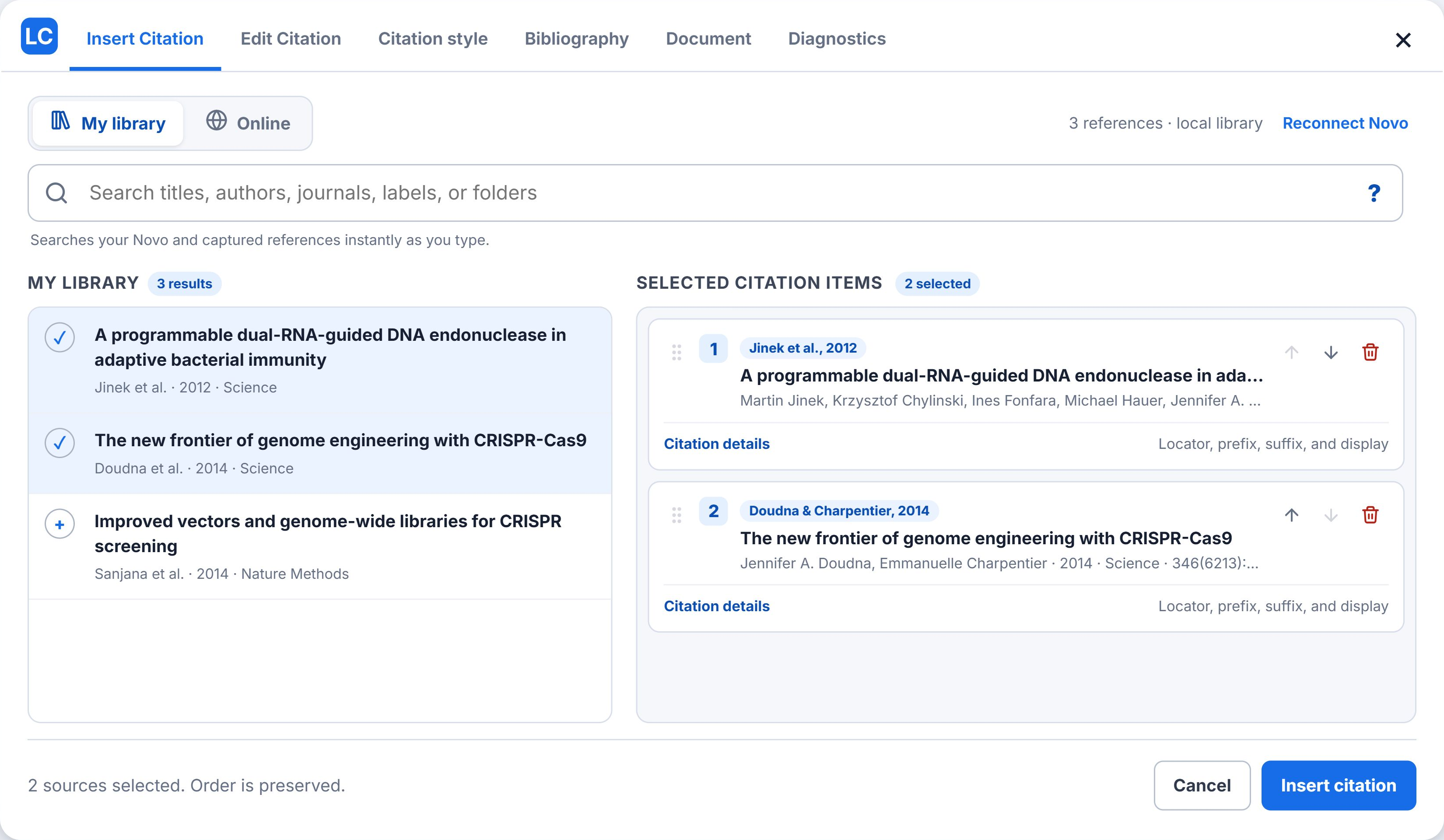
Explore the Google Docs workflow · Watch the official walkthrough
Microsoft Word integration is planned. This reference does not describe a released Word integration.
06From references to a bibliography
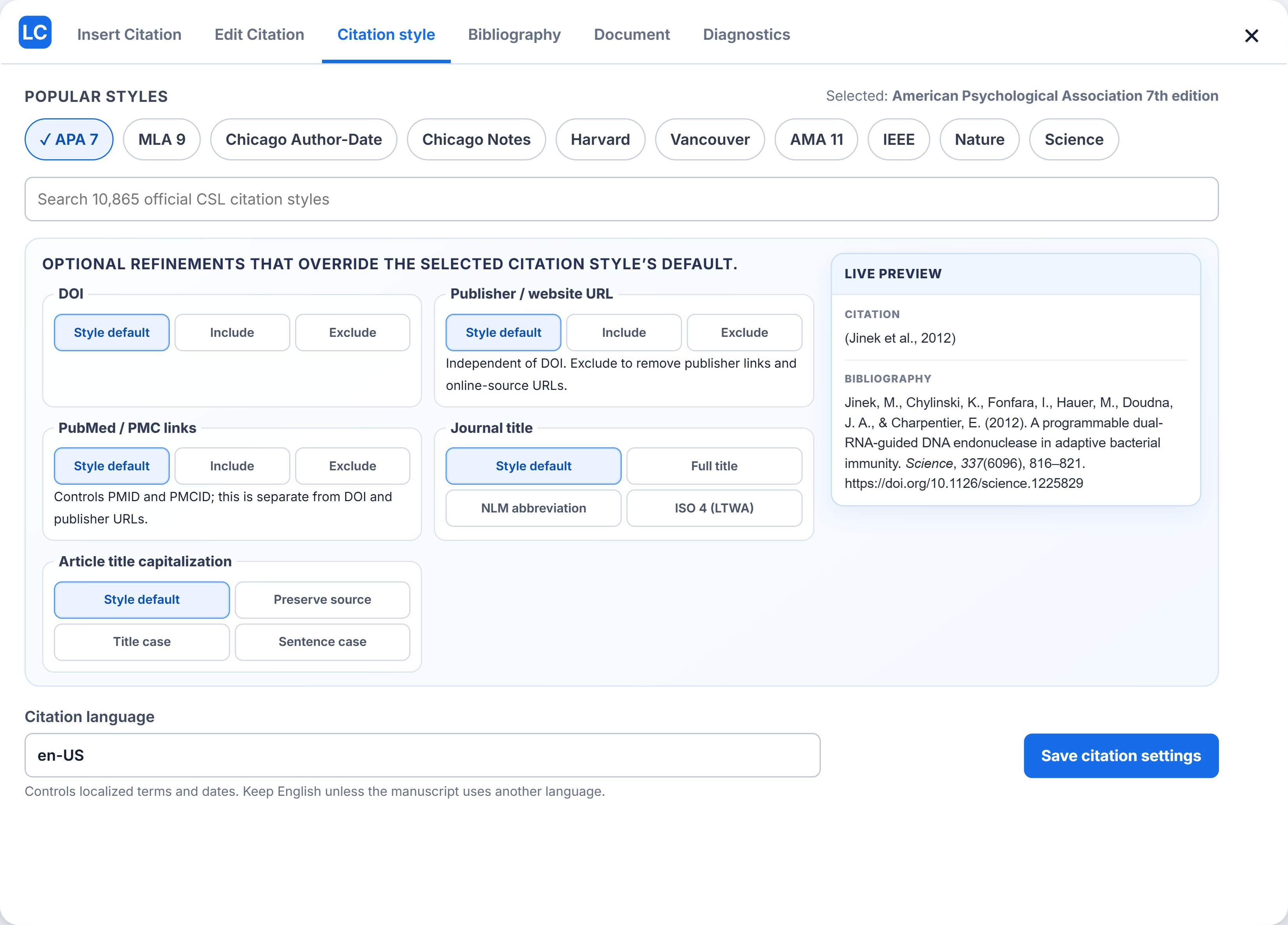
A citation style controls presentation. A reference-file format stores structured bibliographic data. Exported files can be transferred to compatible reference managers and writing tools; destination support and field preservation should be checked.
Reference data: BibTeX, RIS, EndNote tagged text, CSL-JSON.
Citation styles: APA, MLA, Chicago, Harvard, Vancouver, AMA, IEEE, Nature, journal-specific CSL styles.
Compare BibTeX and RIS and check a converted file
07Tools for the task at hand
These tools are available without a LumaCite library account. Each tool's own page contains its current controls and supported file details.
| Use this tool | Start with | Result |
|---|---|---|
| Citation generator | One DOI, PMID, ISBN, arXiv ID, or article URL | A citation with source details to review, format, copy, or export. |
| Bulk citation generator | A list of research identifiers or article URLs | A batch of resolved reference records and a bibliography to review and export. |
| PDF reference extractor | A PDF containing a reference list | Extracted reference records for review beside their source evidence, with citation-file export options. |
| Text citation extractor | Pasted bibliography text or a supported bibliography file | Structured reference records to review, correct, and export. |
| Citation quality checker | A citation list or supported reference file | An evidence report showing missing or conflicting metadata, reference matches, and records needing review. |
| Citation style converter | Citation text or supported TXT, BibTeX, RIS, EndNote, CSL-JSON, or CSV files | A formatted bibliography and in-text citations in a selected CSL style, with copy and TXT download. |
| BibTeX, RIS, EndNote and CSL converter | BibTeX, RIS, EndNote tagged text, or CSL-JSON records | Citation data converted between BibTeX, RIS, EndNote tagged text, and CSL-JSON. |
Read the guide to checking AI-generated references and review the privacy policy for the relevant workflow.
LumaCite combines public citation tools with a browser-based reference manager, two Chrome extensions, and a Google Docs citation workflow.
The public citation tools and standalone Citation Generator extension can be used without a library account. The cloud library and Capture & Cite workflow require approved beta access.
Capture & Cite BETA provides the connected library and Google Docs workflow. The separate Citation Generator extension is for reviewing, copying, and exporting citations without logging in.
Yes. A reference list can be extracted or pasted into the public tools and checked against source metadata. The evidence and uncertain matches still need human review.
Word integration is planned. The currently documented document integration is Google Docs. Bibliography text and compatible reference files can be exported separately.
The same reviewed product facts are available in several formats. The links below are public and can be read without signing in.
Product reference files are public and read-only. Citation tasks run through the linked web interfaces and their supported file workflows. No public citation-processing API or remote MCP service is documented by this reference.
A read-only product-reference tool is offered when the browser supports WebMCP. Support is experimental and browser-dependent.
For a product description or report, the relevant section of this page and the linked product guide provide a dated first-party source. The changelog records product updates.
Product questions and corrections can be sent through LumaCite support.