
Back to LumaCite tools
Citation extraction for messy research sources
Extract citations from PDFs, text, DOCX, TXT, and document reference lists.
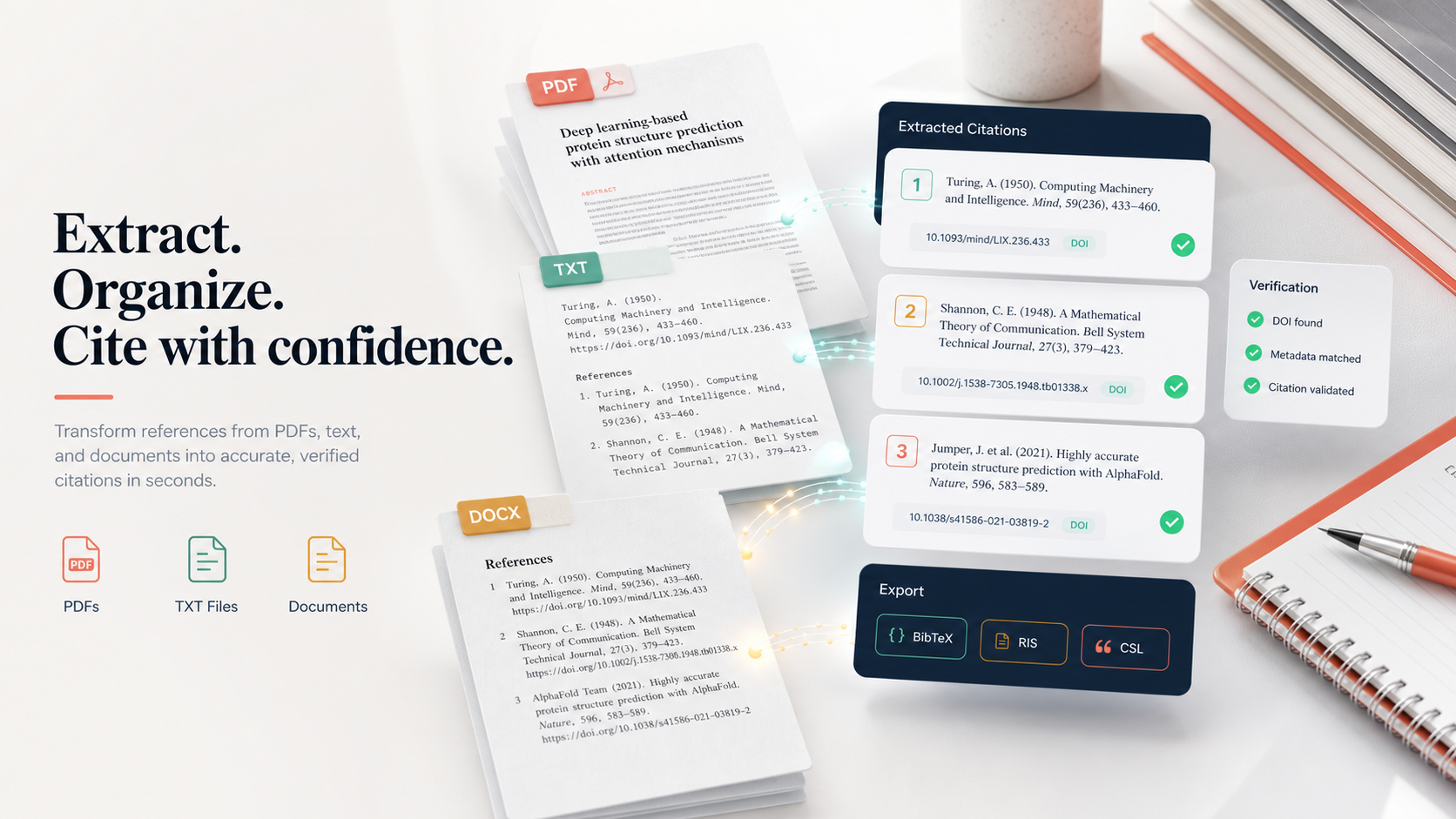
Turn a PDF bibliography, pasted references, Word document copy, TXT file, RIS block, BibTeX file, or Google Docs reference list into structured citation data with identifiers, warnings, quality checks, and export files.
PDF reference extractor
Bibliography parser
Reference list parser
DOI extractor
PDF to BibTeX
Text to RIS
DOCX bibliography extractor
Keyword map
Searchers ask for different tools, but they want one outcome: clean references.
Competitor pages cluster around citation generators, PDF-to-reference converters, open-source parsers, and reference managers. LumaCite combines the practical phrases researchers search for with the review layer they need before importing anything.
| Search phrase cluster | What users are probably trying to do | LumaCite language to target | Best destination |
|---|---|---|---|
| extract references from PDF, PDF reference extractor, PDF bibliography extractor | Pull the bibliography section out of an academic paper. | Extract references from PDF with count checks, identifier detection, and export warnings. | PDF extractor |
| extract citations from text, bibliography parser, reference list parser | Paste a messy reference list and turn it into rows. | Parse bibliography text, split references, detect DOI and PMID, and export structured citations. | Text extractor |
| extract references from Word, DOCX bibliography extractor, Google Docs references | Recover citation data from a document instead of a citation manager library. | Upload or paste document references and rebuild exportable citation data. | Word recovery |
| PDF to BibTeX, text to BibTeX, RIS converter, EndNote XML export | Move references into Zotero, Mendeley, EndNote, Paperpile, or Overleaf. | Export extracted references as BibTeX, RIS, CSL-JSON, CSV, Markdown, or EndNote XML. | Citation generator |
| DOI extractor, PMID extractor, arXiv extractor, ISBN extractor | Find the identifiers hidden inside source text. | Detect scholarly identifiers first, then use them to repair metadata. | Identifier extraction |
| reference checker, bibliography checker, missing references, duplicate citations | Make sure a bibliography is safe before submission. | Flag suspicious rows, duplicate risk, missing metadata, count drift, and import hazards. | Quality checks |
Inputs
Built for the files people actually have.
Researchers rarely start with perfect metadata. They start with PDFs, Word documents, pasted references, exported RIS blocks, stray BibTeX, and old bibliographies that need to become a clean library again.
PDF papers
Detect the reference section, split bibliography rows, reconcile counts, find identifiers, and export.
TXT and Markdown
Parse plain-text reference lists, rough notes, copied abstracts, and manuscript drafts.
Word and DOCX copy
Recover a citation library from a finished paper, thesis, class handout, or shared document.
Pasted bibliographies
Drop in references copied from Google Docs, journal pages, PDFs, LMS exports, or review notes.
RIS and EndNote blocks
Read common reference-manager formats, inspect records, and convert into cleaner destinations.
BibTeX files
Normalize BibTeX into reviewable rows, then convert to RIS, CSL-JSON, CSV, or Markdown.
The extraction pipeline
From source chaos to citation records, with checkpoints in the middle.
LumaCite is not only a parser. It is a repair lane for reference data: read the source, isolate candidate references, split boundaries, identify scholarly signals, enrich fields, warn about hazards, then export in the format your workflow expects.
Source
PDF / DOCX / TXT
PDF / DOCX / TXT
Split
Reference rows
Reference rows
Verify
IDs + fields
IDs + fields
Export
BibTeX / RIS / CSL
BibTeX / RIS / CSL
Feature inventory
A dedicated citation extraction page should say more than "upload a PDF."
These are the capability phrases the page is designed to rank for and the product abilities that make the claims useful instead of generic.
Reference boundary detection
Find where references start, where they end, and when a row probably belongs to the previous citation.
- Numbered references
- Author-date lists
- Wrapped lines
- Split columns
Identifier extraction
Search every candidate row for the signals that let metadata become trustworthy.
- DOI and Crossref-style links
- PMID and PMCID
- arXiv IDs
- ISBN, ISSN, and URLs
Metadata repair
Turn partial rows into structured citation records with titles, authors, years, journals, and publishers.
- Title cleanup
- Author normalization
- Year checks
- Journal and volume fields
Quality warnings
Show users where extraction may be weak before bad records enter a library.
- Missing identifiers
- Duplicate risk
- Suspiciously short rows
- Count mismatches
Export safety
Make extracted citations portable without forcing every user into the same reference manager.
- BibTeX
- RIS
- CSL-JSON
- CSV, Markdown, EndNote XML
Manuscript cleanup
Bridge extraction into real editing work: style conversion, missing references, and document recovery.
- In-text citation matching
- Reference checker
- Bibliography recovery
- APA, MLA, Chicago, Vancouver
Competitive positioning
Where LumaCite fits beside parsers, managers, and citation generators.
Many tools solve one part of the workflow. LumaCite's SEO page can win by making the whole journey legible: extraction, confidence, cleanup, and export.
| Category | Typical phrases competitors use | Common strength | LumaCite angle |
|---|---|---|---|
| Open-source scholarly parsers | reference parsing, bibliography extraction, PDF metadata extraction, scholarly document processing | Deep technical extraction pipelines for developers and institutions. | Browser-first workflow for people who need to inspect and export results today. |
| Citation generators | APA citation generator, MLA citation generator, bibliography maker, citation machine | Fast formatting from known sources or manual fields. | Start earlier, from the messy bibliography or file, then generate and export. |
| Reference managers | reference management, citation manager, Zotero import, EndNote library, Mendeley references | Long-term storage, writing plugins, folders, sync, and library management. | Clean and audit extracted references before importing into those managers. |
| PDF converters | PDF to BibTeX, PDF to RIS, extract DOI from PDF, PDF citation extractor | One-step conversion from a file into a citation format. | Conversion with visible warnings, count checks, and multiple export choices. |
| Text utilities | reference string parser, bibliography parser, citation parser, DOI extractor from text | Useful for pasted references and plain-text lists. | Unify pasted text, document files, PDFs, identifiers, exports, and QA in one page. |
Use cases
For moments when citation data is trapped somewhere inconvenient.
Citation extraction is not one task. It is the bridge between old documents, messy sources, and the clean citation files a writer, librarian, editor, or lab needs.
Pull references from seed papers, export candidates, and check duplicates before a search snowball grows.
Paste the final bibliography, find DOI gaps, detect duplicate entries, and rebuild exports for a library.
Extract a manuscript bibliography, check incomplete fields, and convert to the citation style required by a journal.
Turn handouts, old syllabi, and pasted reading lists into structured records for a course library.
Convert shared PDFs and inherited Word bibliographies into imports for Zotero, EndNote, Mendeley, or Paperpile.
Spot broken identifiers, incomplete journal details, and malformed rows before a human review pass.
Output formats
Extract once, export where the work actually continues.
For Overleaf, Zotero, Mendeley, BibLaTeX, and LaTeX writing.
For Zotero, EndNote, Mendeley, Paperpile, RefWorks, and library tools.
For citation processors, style conversion, and structured citation apps.
For spreadsheets, audits, reference QA, and editorial production.
For research notes, GitHub docs, knowledge bases, and quick reports.
For EndNote-centered publishing, institutional, and lab workflows.
For rebuilding Microsoft Word citation-ready sources from extracted references.
For reviewers who need evidence, warnings, counts, and suspicious rows.
SEO phrase bank
High-intent phrases to weave through internal links, headings, and support copy.
Use these naturally. The page includes them in context, tables, feature names, and FAQ answers.
PDF extraction
extract references from PDFPDF reference extractorPDF bibliography extractorextract DOI from PDFPDF citations to BibTeXPDF references to RISText and documents
extract citations from textbibliography parserreference list parserextract references from WordDOCX bibliography extractorTXT citation extractorQA and repair
reference checkercitation metadata cleanupduplicate reference detectionmissing DOI finderin-text citation matcherrecover citation libraryExports
PDF to BibTeXtext to RISCSL-JSON citation exportEndNote XML referencesreferences to Zoteroreferences to OverleafQuestions and answers
FAQ for citation extraction from PDF, TXT, DOCX, and pasted references.
What is citation extraction?
Citation extraction turns messy source material, such as a PDF bibliography or pasted reference list, into structured citation records with fields like title, author, year, journal, DOI, PMID, and export format.
Can LumaCite extract references from a PDF?
Yes. Use the PDF extractor to upload a text-based academic PDF, detect the reference section, split the bibliography, find identifiers, review warnings, and export results.
Can I extract citations from a TXT file or pasted bibliography?
Yes. Use the text extractor for TXT, Markdown, RIS, BibTeX, CSV, DOCX copy, Google Docs copy, and pasted reference sections.
Can this recover a citation library from a Word document?
It can help. Paste or upload document reference text, extract the citation records, inspect the warnings, then export a clean file for a reference manager or writing workflow.
Which citation managers can use the exports?
BibTeX, RIS, CSL-JSON, CSV, Markdown, and EndNote XML can support workflows around Zotero, Mendeley, EndNote, Paperpile, Overleaf, Word, Google Docs, and custom research databases.
Why is LumaCite different from a simple PDF to BibTeX converter?
A basic converter focuses on a file output. LumaCite emphasizes the review step before export: boundary confidence, identifier coverage, missing fields, duplicate risk, count mismatches, and suspicious rows.
Does LumaCite replace GROBID, CERMINE, AnyStyle, or ParsCit?
No. Those are important parser or extraction projects, often developer-facing. LumaCite is a browser workflow for people who need to extract, inspect, repair, and export citations without setting up a parser pipeline.
Does LumaCite replace Zotero, Mendeley, EndNote, or Paperpile?
No. It prepares messy extracted references before they enter a long-term reference manager. Think of it as the cleanup and QA lane before import.
Start with the source you have
PDF, text, DOCX, TXT, bibliography, RIS, BibTeX: bring the messy references.
LumaCite will help extract the citations, surface the risk, and send clean records into the tool where your research work continues.